
FastAccounts offers two types of templates to help users save time when dealing with transactions with the same information. The first type is a regular template, which users can create and save for future use. The second type is a recurring transaction, which users can schedule to be automatically added into their account on specific dates.
To create a regular template, users can enter the transaction data and then press “Approve and close” to save it as a template for future use. The templates can be accessed from the main listing page of each module.
For recurring transactions, users can click on the “Recurring” option and set a schedule for the transaction to be automatically added to their account.
Templates are available for the following transactions:
By using templates, users can quickly create transactions with the same information without having to manually enter the data each time.
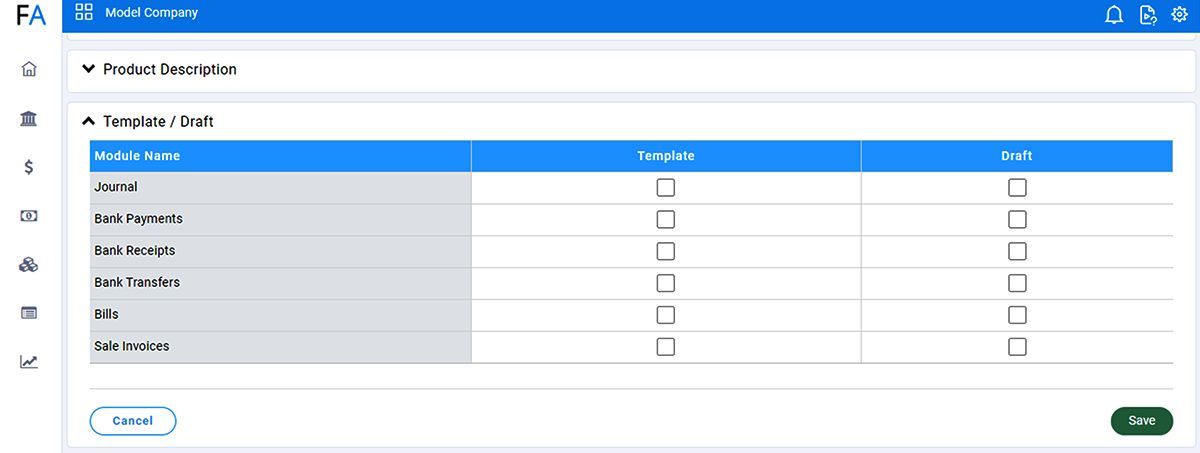
Users can decide which module templates they would like to enable.
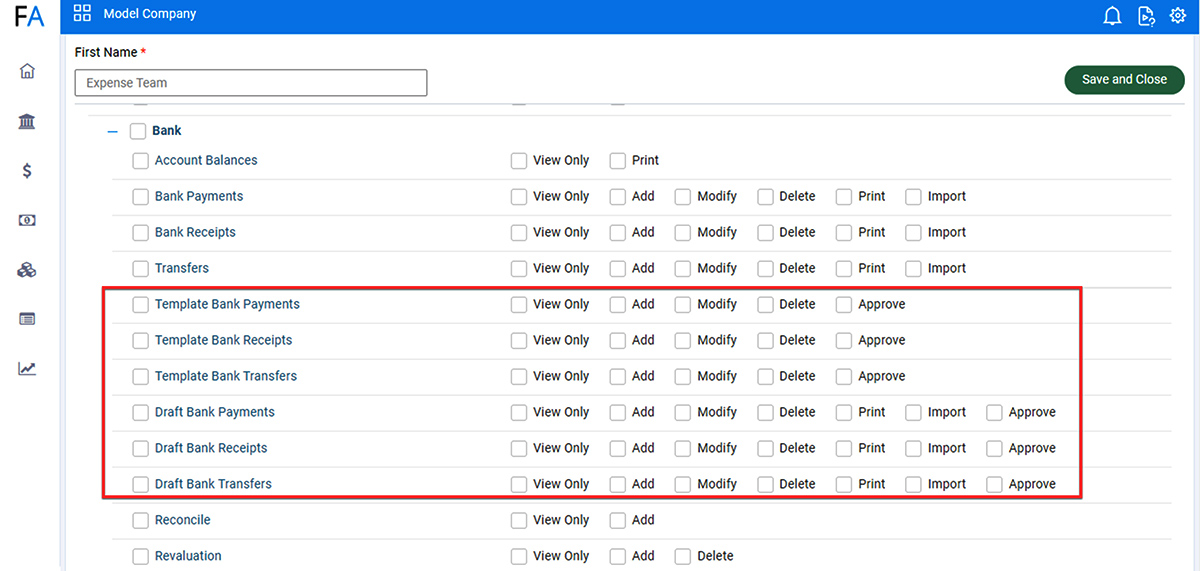
FastAccounts provides very detailed rules and rights for users.
A separate right for templates is added in User Roles for each module, giving users complete control over which users can access templates.
Go to the main listing page of the relevant module and click on the “Templates” option.

Record the transaction data and give the template a name.
Decide whether to save the template only, or to approve it, which creates a transaction and saves the template.