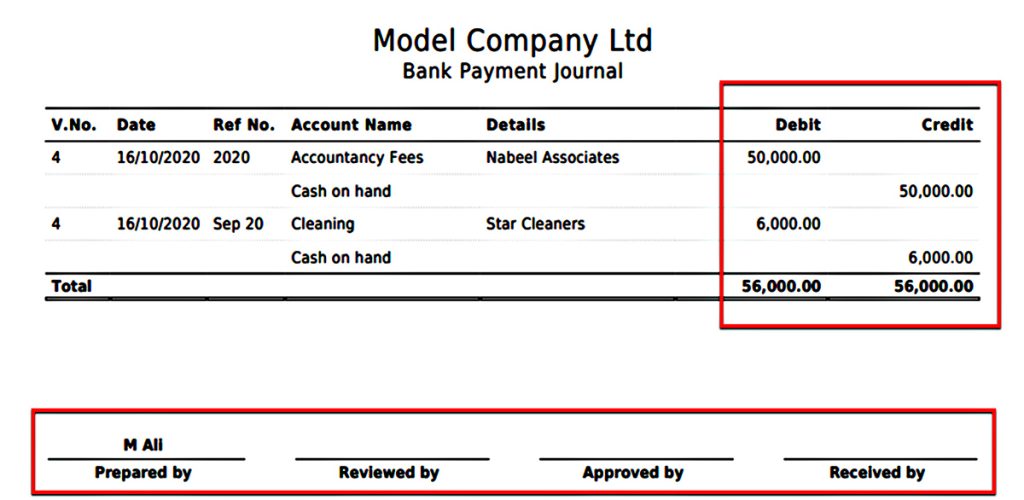
The new journal printing with traditional debit & credit style, has been added to all sections in the Fast Accounts.
1. Bank and Journals
On the Bank and Journal section, the print button is available on the top of the listing. On bank voucher printing only select a single row from a voucher and it will print the entire voucher.
- Bank Payments
- Bank Receipts
- Bank Transfers
- Journals
The new printing has option to record the approval process on the printed vouchers as highlighted below.
2. Sales
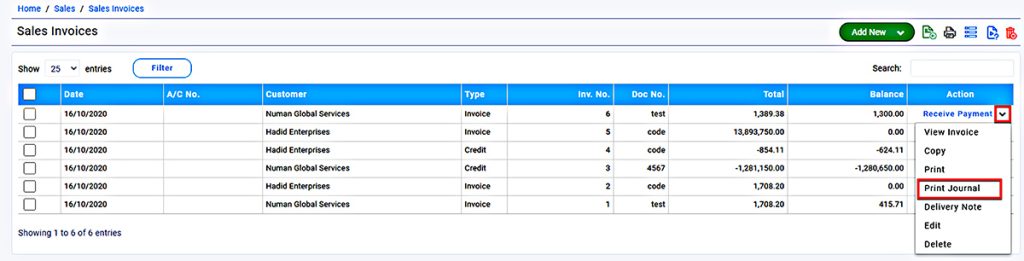
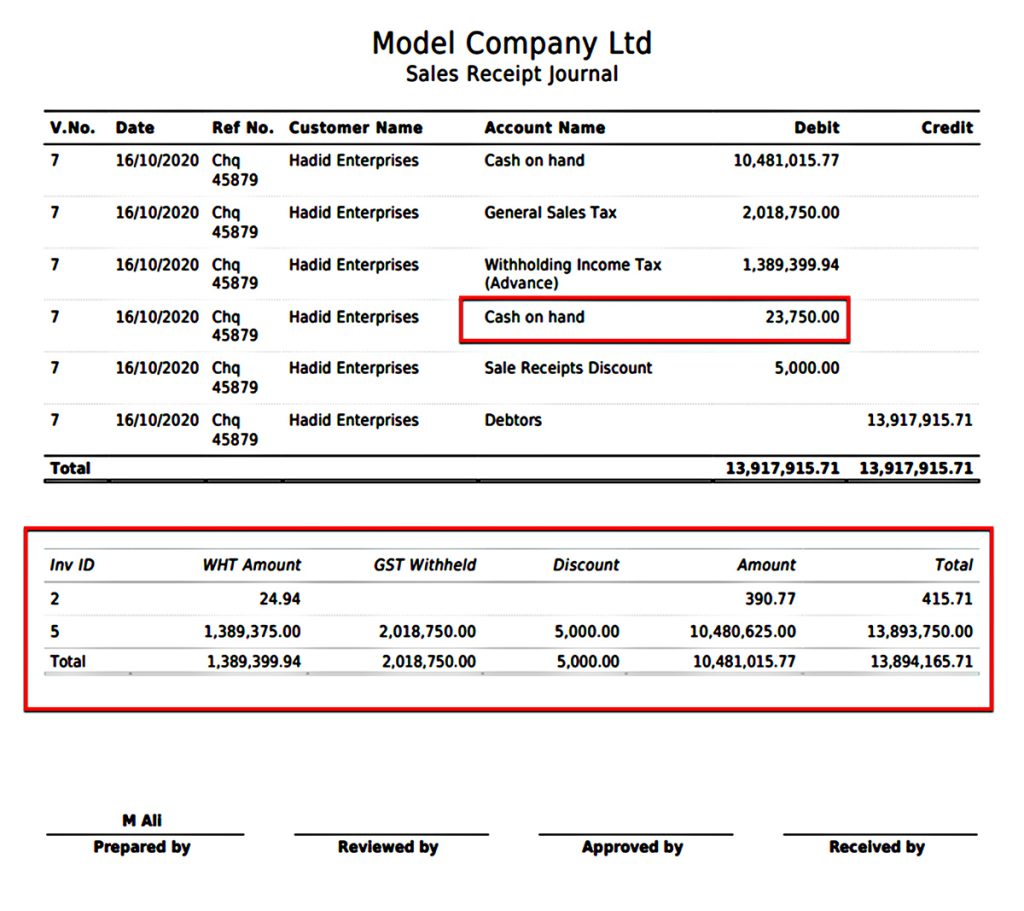
The journal printing in Sales section is available in the Action Menu. In case of product system will print journal according to the Nominal Accounts linked with the product.
- Sales Invoices
- Sales Receipts
The journal of Sales Receipts also provides the list of the sales Invoices against which the Receipts are recorded. The unallocated amount is shown as separate line in the journal.
3. Expenses
The journal printing in Expenses section is also available in the Action Menu. It covers all transactions in the Expenses section as it does in Sales.
- Supplier Bills
- Supplier Payments