
Landed Cost Module gives you opportunity to update the inventory cost of stock products with additional expenses e.g. Freight, Import Duty, Customs Duty, Delivery Charges, Shipping Cost etc.
The process of dealing with Landed Cost made simple with Fast Accounts.
Record your bills as normal, purchase of goods, additional costs etc. Once all the bills are added, you will be able to link the additional cost bills to the goods purchased bills.
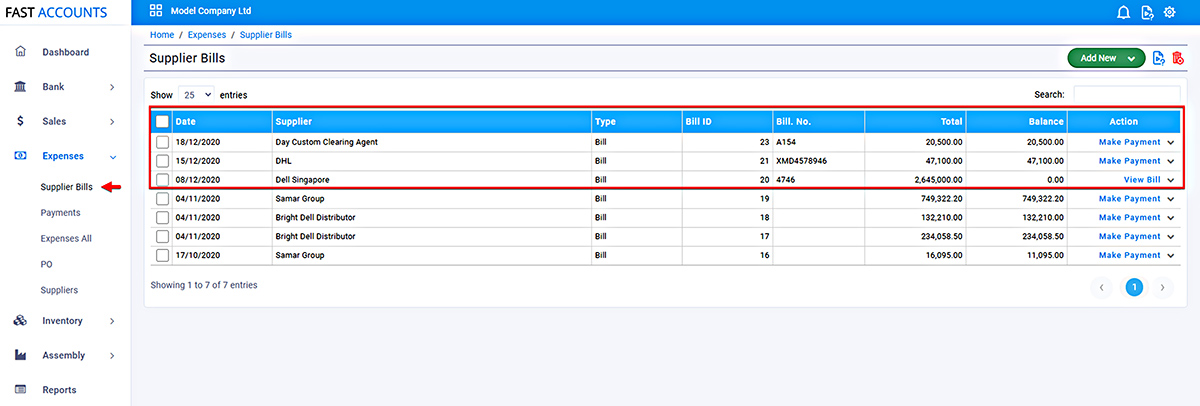
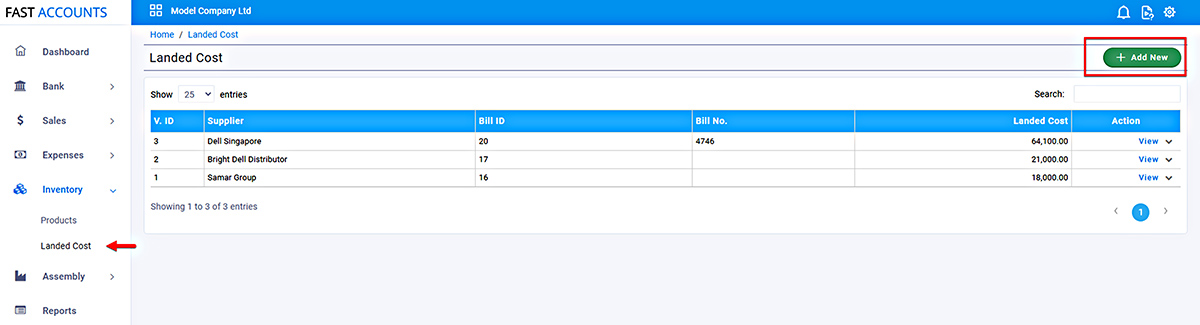
This will open “Landed Cost” Listing page. To link landed cost to the products cost, Select “Add New”
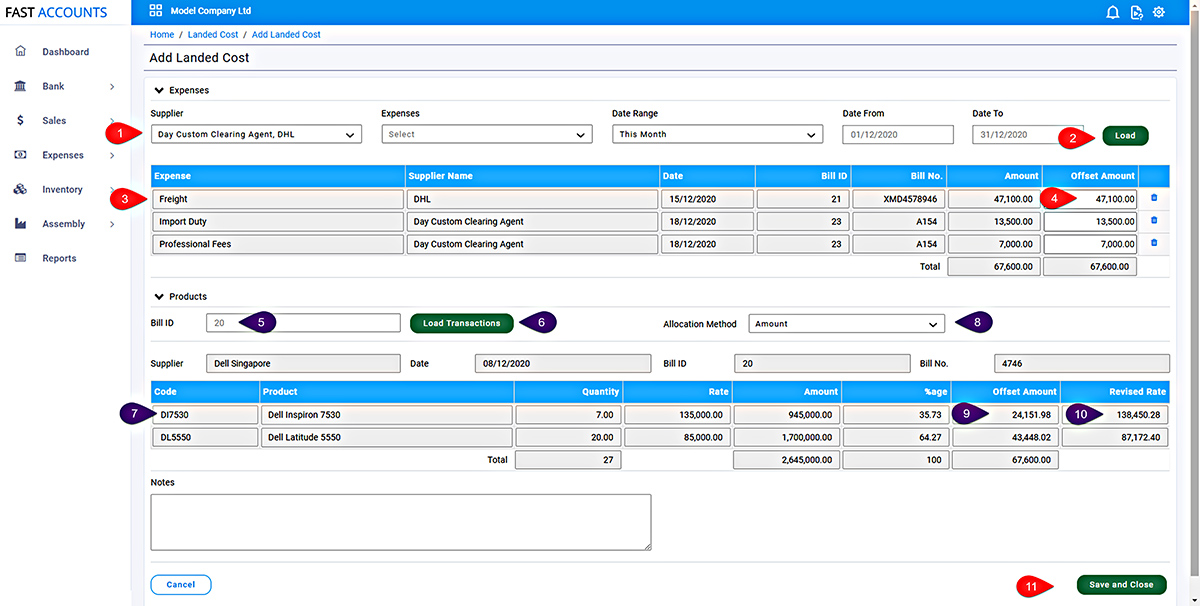
On the Add Landed Cost Page, there are two sections, 1) Expenses and 2) Products
Step 1 :Expenses
Step 2 : Products
You can edit a landed cost at any time, by selecting Edit from the Action Menu.
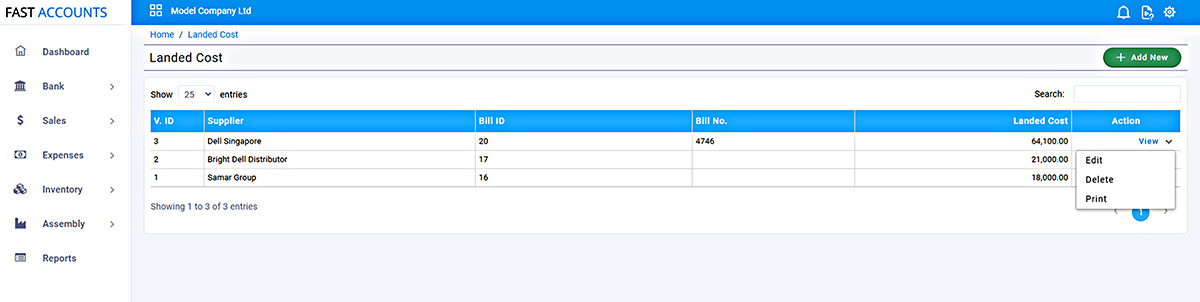
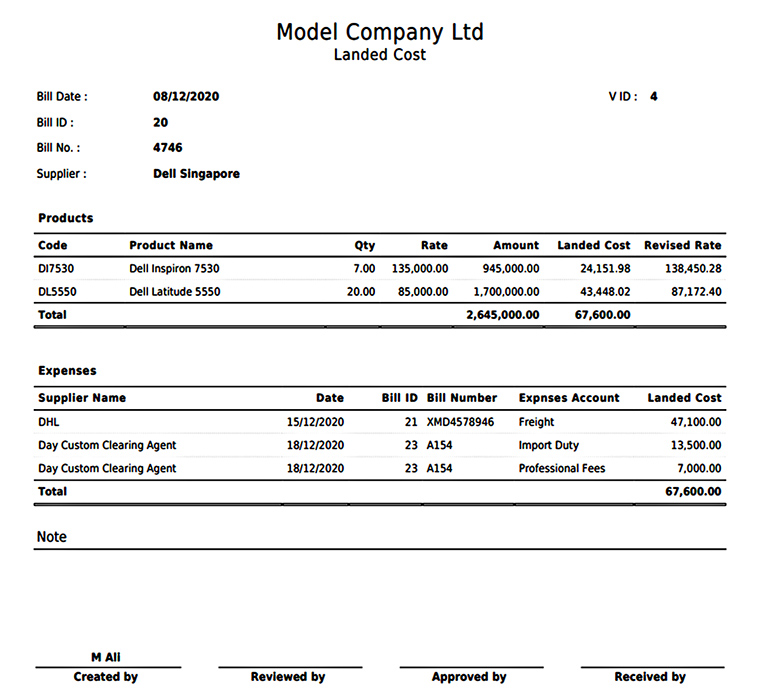
In order to print the Landed cost detail for your record, simply select Print from the Action Menu. The print will provide all necessary details.
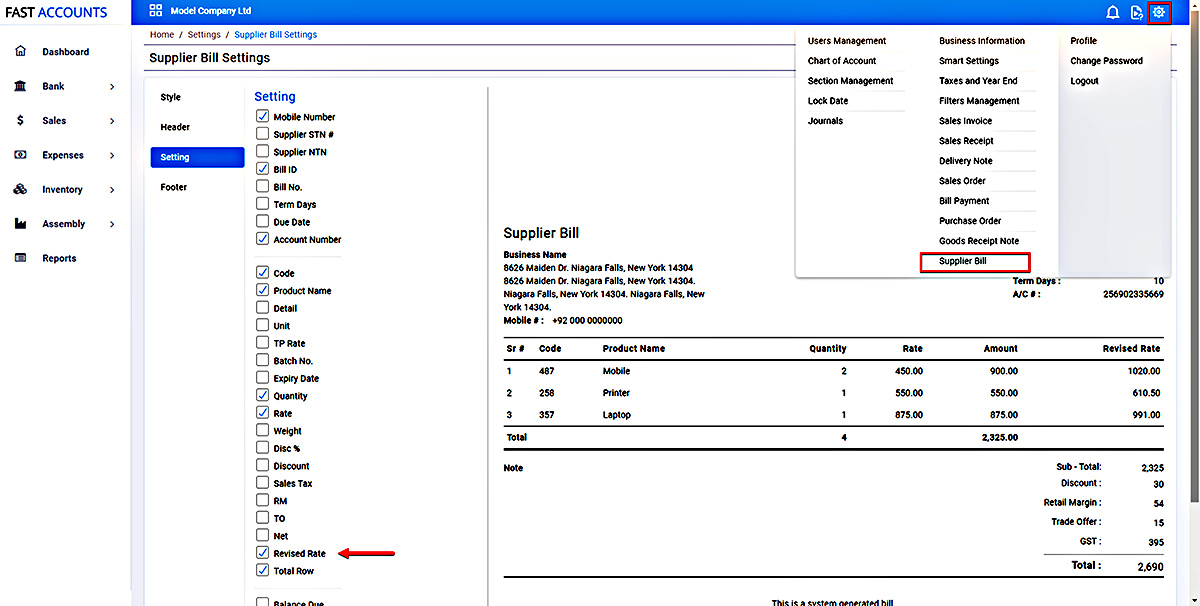
The option to print Revised Rate with supplier bill is also available, Go to Settings, Select Supplier Bill and check the Revised Rate box.
The cost of Sale in the product performance report will be updated as per the revised rate of the product.
In the same way the stock valuation reports will be updated as well.
Please contact Fast Accounts Team on 042-111-008-339 to enable this premium feature.