
FastAccounts allows users to save time on bulk actions. We have now enhanced the Product Bulk Actions screen, now this allows user to update both taxes and other data to update with a click of button.
This allows you to update Tax Rates. In the Taxes Update,
Select the Category and Products you would like to update,
Choose the old tax rate and new tax rate and press Apply.
It’s all done.
This section allows updating many different data types. Select the Category and Products you would like to update,
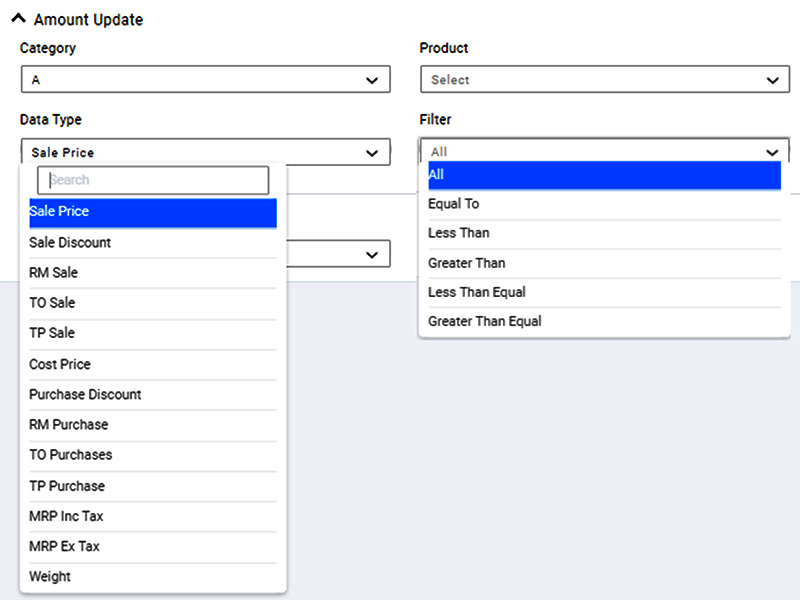
There are two different calculation Types 1) Number 2) Percentage.
When you select “Number”, you have a choice
In the case of Calculation Type “Percentage”, you have the option to
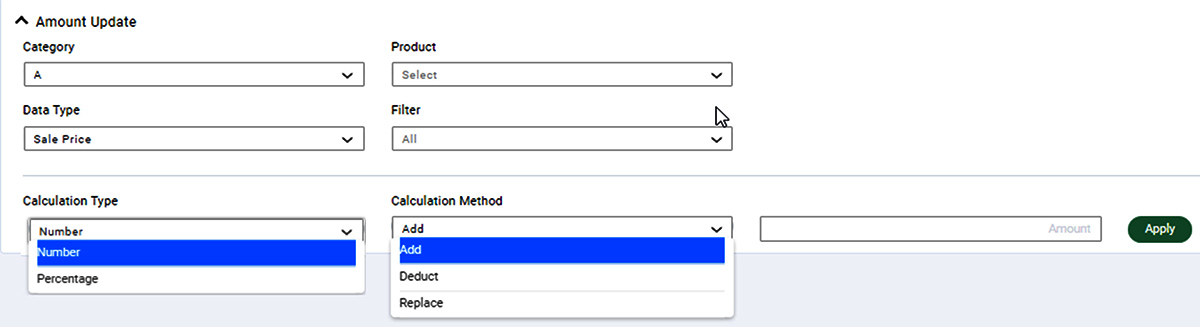
Once the criteria are selected press Apply and it’s all done.
Please note it is a non-reversible action. The data will be updated as per the selection and criteria provided.