Customer Payment Return
The process to record return funds to Customer is made so easy with Fast Accounts.
1. How to record a Customer Advance Return
- Go to Sales
- Select Receipts
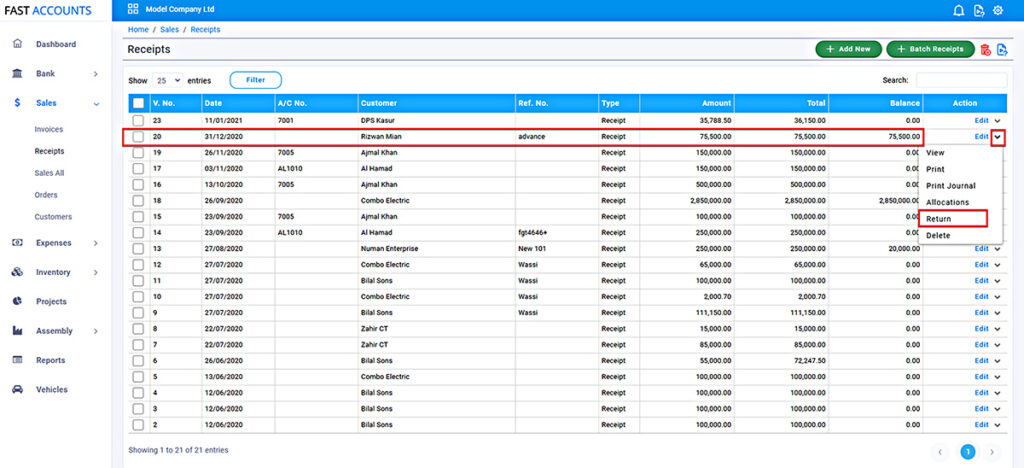
On the Sales Receipts List, the advance from customer will be showing in the Balance Column. From the Action Menu Select Return.
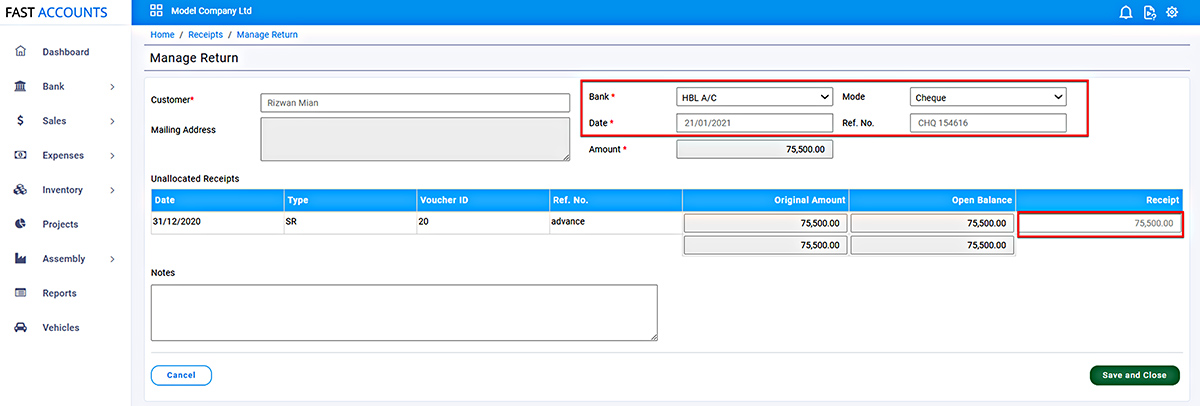
On the Manage Return Screen,
- Enter the Bank details in the header section,
- Enter the Return Amount in the Receipt (You can enter a partial Amount).
- Press Save and Close
It’s All Done, Return Transactions will appear with “RSR” as type in the Transaction on all the relevant reports.
2. How to Record a Bounced Cheque
- Go to Sales
- Select Receipts
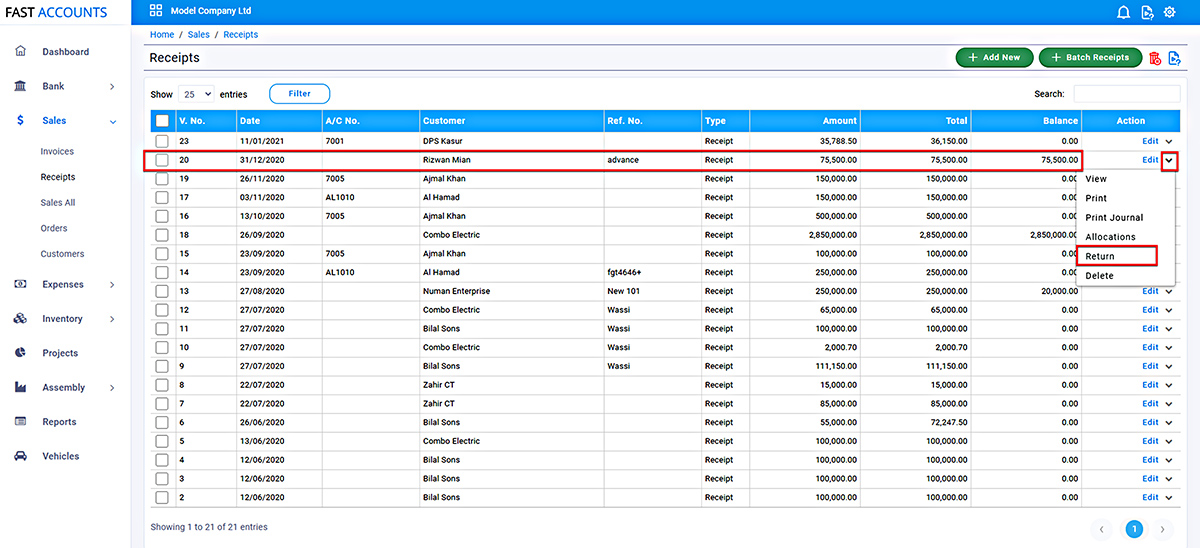
On the Sales Receipts List, select the Receipt from the customer, if this has already been allocated with Sale Invoices, From Action Menu Select Allocations, remove the allocations. Now the amount will be shown in the Balance Column. From the Action Menu Select Return.
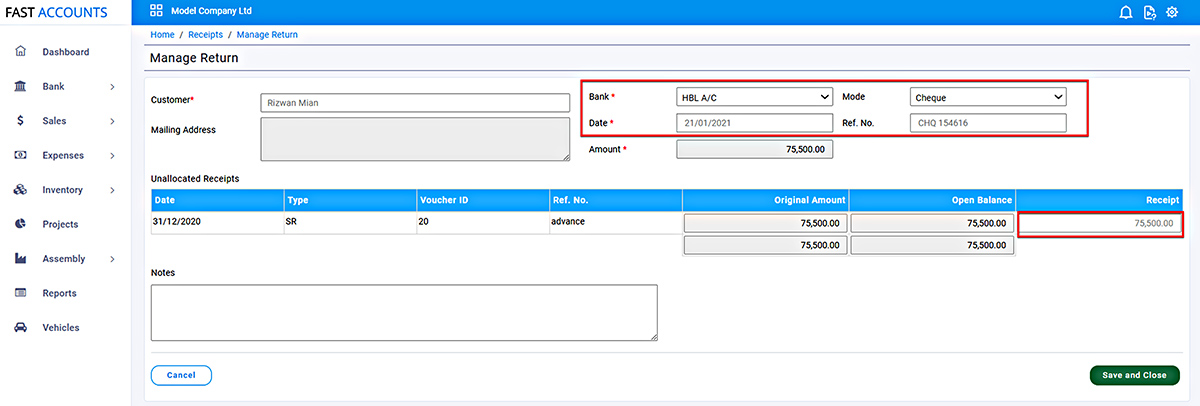
On the Manage Return Screen,
- Enter the Bank details in the header section,
- Enter the Return Amount in the Receipt (You can enter a partial Amount).
- Press Save and Close