
We have updated the Sales Order Module. Now there are 4 different types of status for each sales order
This will help you to track sales order more efficiently. Only when the status of the sales order is changed to Invoiced, this action will automatically create a sales invoice. Also, now you can change the status of any Sales Order as required.
There are four different options to update the status of a sale order.
When you are adding a Sale order and you have rights to approve Sale Order, you can choose the “Approve & Close” or immediately create an invoice with “Invoice & Close”. In case the order is just saved, it will have “In Progress” status.
This screen also provides authorised user access to directly Reject, Approve or Invoice a sale order.
An authorised user has an option in the Sale Order List to simply change the status of single Sale Order as required.
From the Status Column select the Option as required.
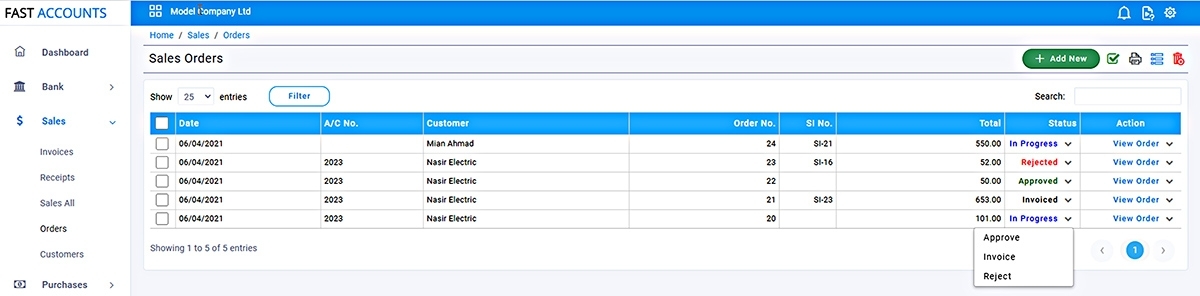
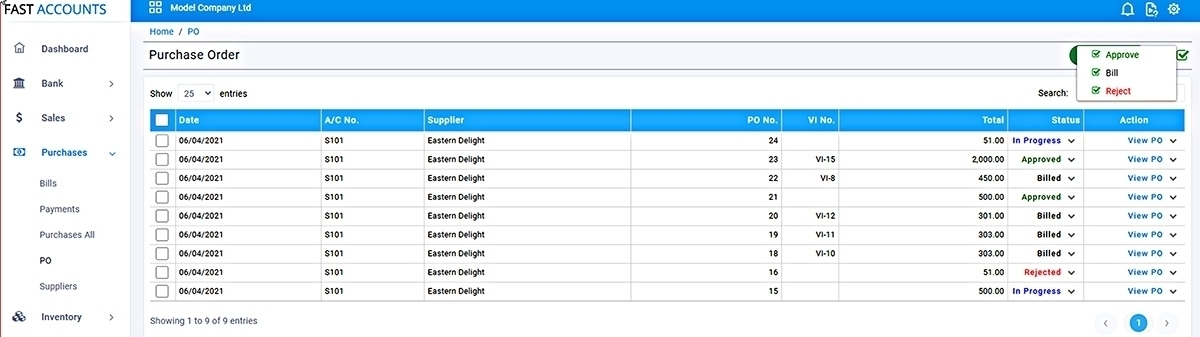
On the Sale Order listing, Select the Sales Orders and from Batch Select the action. This will update the selected Sale Order staus with one click
Now you can create more than one sales invoice from the same Sales Order, in case you would like to raise a sales invoice for the selected items, simply create the sales invoice and delete the rows not required from the sales invoice created.
For further support call us on 042-111-008-339
Fast Accounts Team